
ICMP REACHABILITY
How to Ping a Website or IP Address in 2026
Updated
Your website loads instantly on your laptop, yet a customer on another continent reports a timeout. Your game feels laggy but the provider says the connection is fine. Somebody has to prove where the fault begins, and a ping test is the fastest first witness you can call.
This guide shows how to ping a website or IP address from Windows, macOS and Linux, how to read the two numbers that matter — latency and packet loss — and when to run a free online ping test from a remote Globalping probe instead of trusting only your own network.
What ping actually does
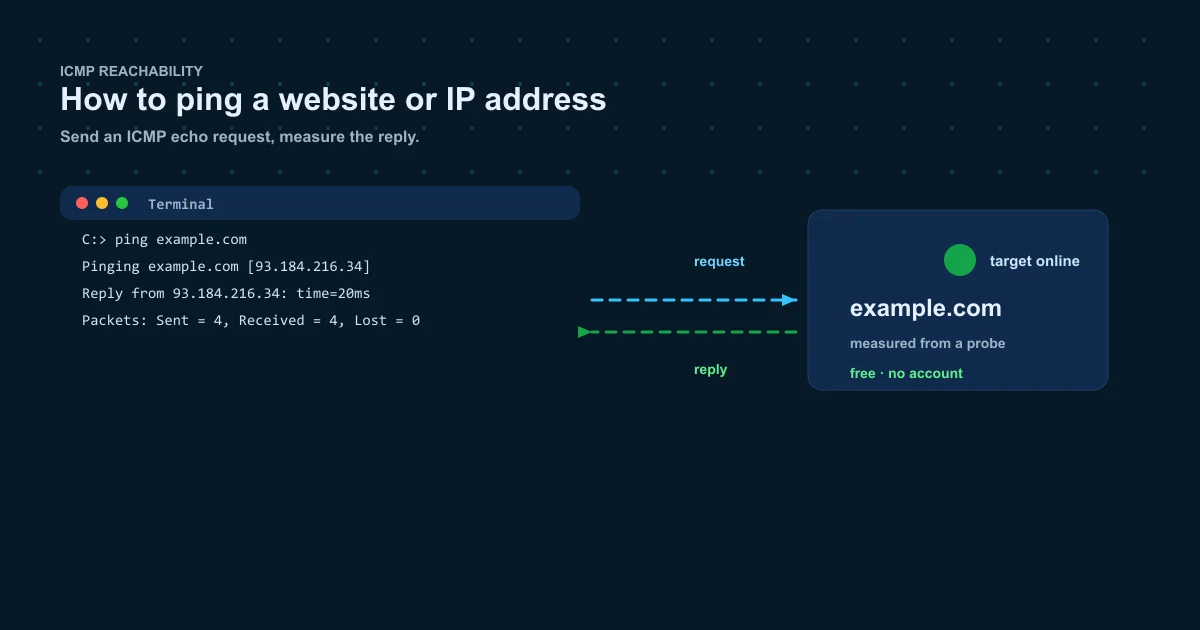
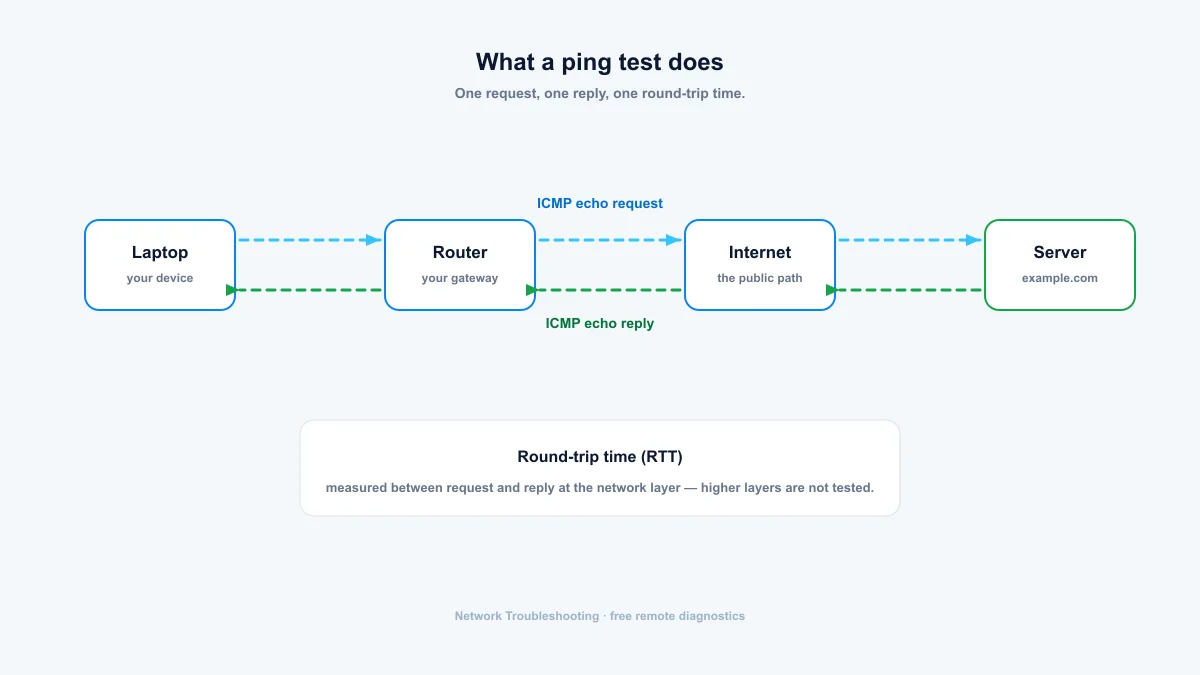
Ping sends ICMP echo request packets to a target and waits for echo replies. The name comes from sonar: send a pulse, listen for the return. Each reply proves the host is alive and routable, and the round-trip time between request and reply tells you how fast the path is right now.
That is also the limit of what ping proves. It does not check a web server, a database or DNS. It checks that an IP-level path to the host exists. When a site works but ping fails, the host is almost always ignoring ICMP on purpose.
How to ping a website or IP address: step by step
Every operating system ships with ping. The command name is identical everywhere; only the packet-count flag differs. Follow the steps below, or jump straight to the online ping test to run the same check from a remote probe.
Step 1: Open a terminal
Windows: press Win + R, type cmd and press Enter. macOS: open Spotlight with Cmd + Space, type Terminal and press Enter. Linux: most distributions open a terminal with Ctrl + Alt + T.
Step 2: Run the ping command
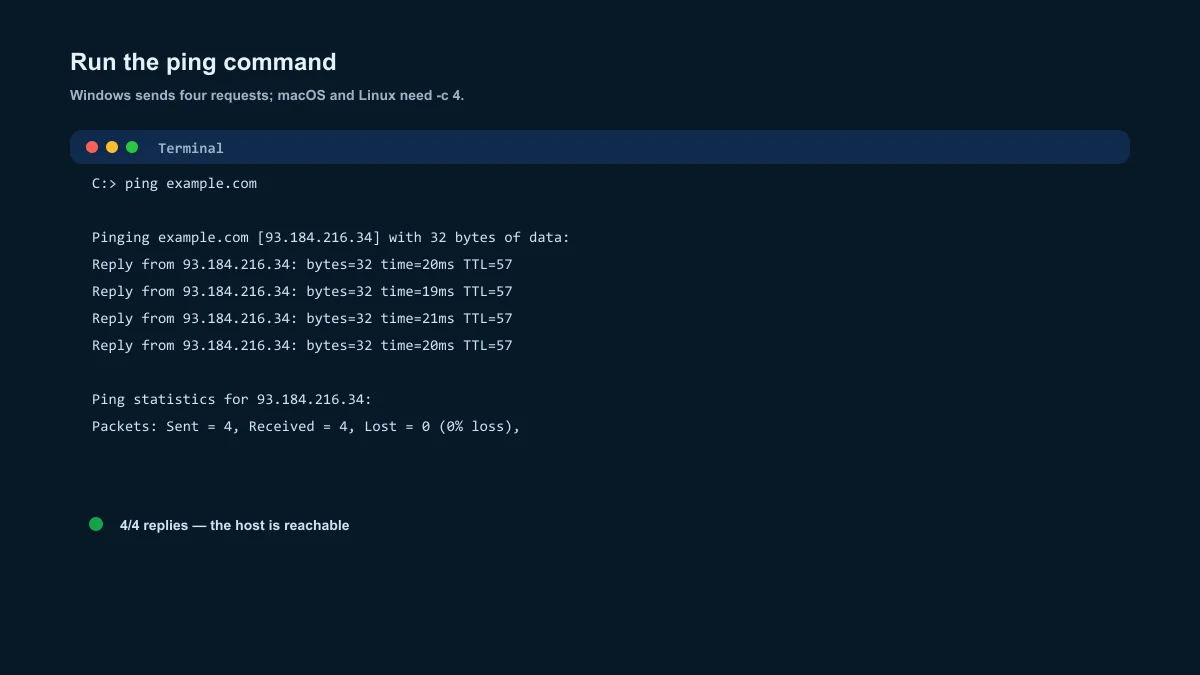
Windows sends four echo requests and stops on its own. macOS and Linux keep sending until you press Ctrl+C unless you add a count flag:
ping example.com        # Windows
ping -c 4 example.com  # macOS and Linux
Step 3: Ping an IP address instead
Pinging an IP skips DNS entirely. Use it when the site name fails to resolve but you suspect the network is fine, or when you already know the address you care about:
ping 8.8.8.8
ping -c 4 2606:4700:4700::1111
How to read ping results
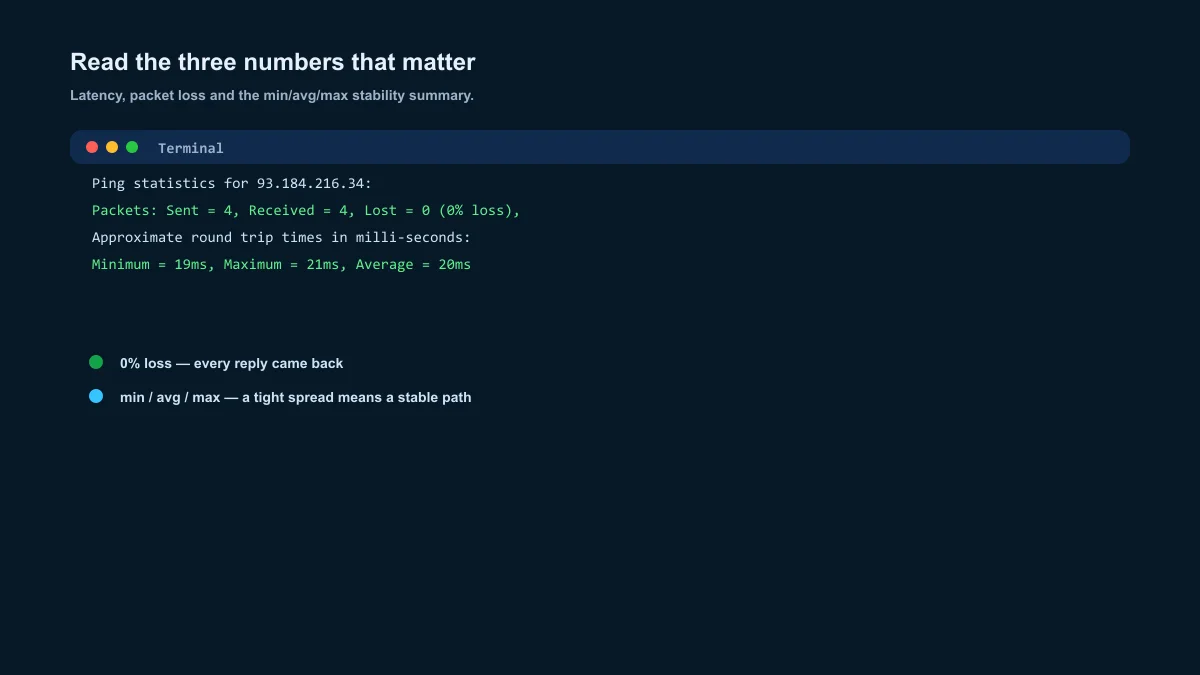
Two numbers decide whether the result is healthy: latency and packet loss. The summary line adds a stability check most people skip.
| Latency | Verdict | Typical cause |
|---|---|---|
| Under 20 ms | Excellent | Close server, fiber or cable, or the local gateway |
| 20–50 ms | Good | Normal broadband to a same-region server |
| 50–100 ms | Acceptable | Cross-country route or average mobile network |
| 100–150 ms | Noticeable | Long-distance or congested international path |
| Over 150 ms | Slow | Distance, congestion, satellite, or a failing link |
Latency: how fast is the path
Round-trip time under 20 ms is excellent on broadband. Up to 80 ms is a normal day for most websites. Above 150 ms usually means long distance, congestion, or a path that crosses a satellite link.
Packet loss: how many replies never returned
Zero loss is normal. A few lost packets on a busy Wi-Fi network is common, but repeated loss on a wired connection points to a real problem: interference, a failing cable, an overloaded router, or congestion between networks.
Minimum, average, maximum: how stable is the path
A large gap between minimum and maximum latency means the path is jittery. If the maximum is three times the minimum, the connection is unstable even when the average looks fine — flaky Wi-Fi is the usual first suspect.
When your local ping lies to you
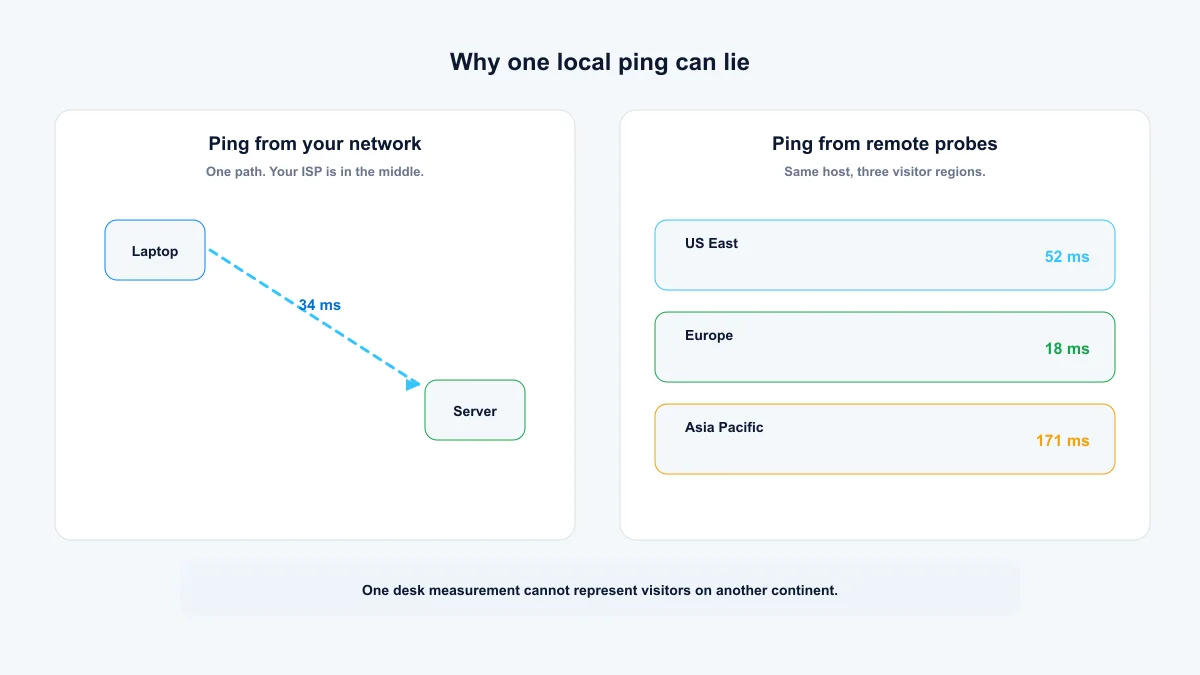
A local ping only proves the path from your network. Three situations make it misleading:
- Firewalls drop ICMP all the time. 100% packet loss to a site that opens fine in your browser means the host ignores ping, not that it is down.
- Distance hides problems. A site can look perfect from your city while timing out for visitors on another continent.
- Your ISP sits in the middle. A broken path between your provider and the host will not show up until you test from somewhere else.
Run an online ping test from another location
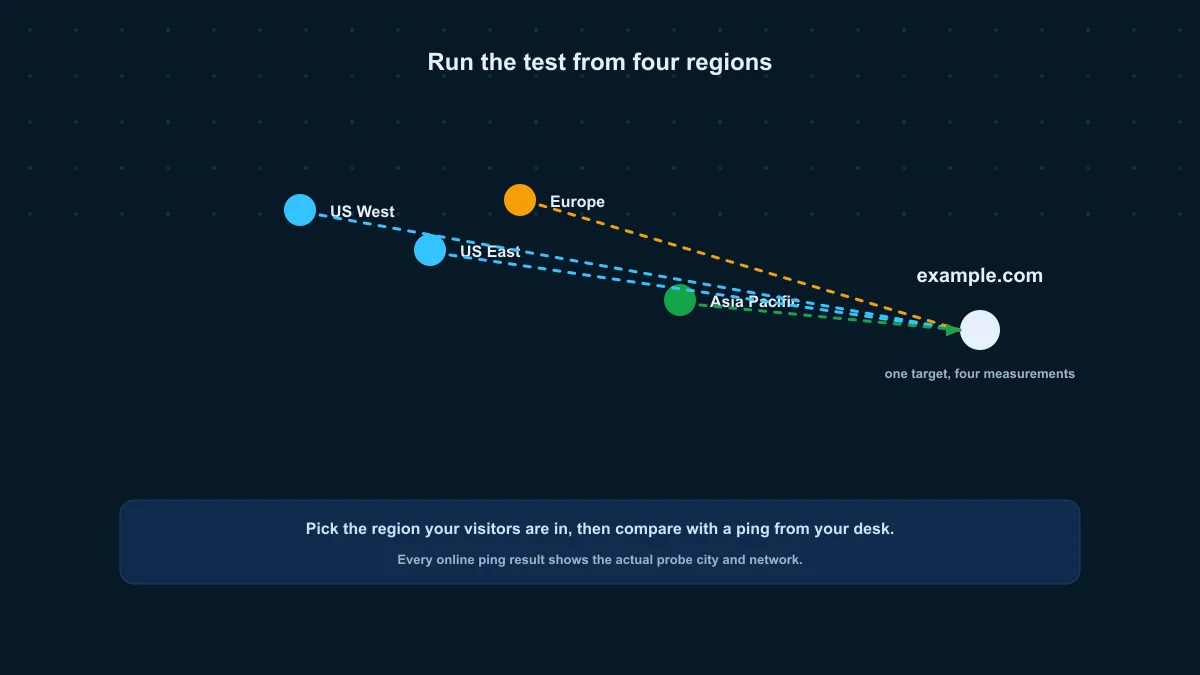
The online ping tool on this site runs the same ICMP measurement from one Globalping probe in the region you pick: US East, US West, Europe or Asia Pacific. Every result shows the actual probe city and network, so you know exactly what visitors there experience — the honest answer to "is it down for everyone, or just me?"
Globalping measurements are asynchronous, so expect a few seconds: the probe gets found, the packets go out, and the result comes back.
What ping can't tell you
Ping tests ICMP reachability, not service health. A host can answer ping while its web server is dead, and refuse ping while serving traffic perfectly well. If a site loads but ping fails, or ping works but the site does not load, move up the stack: a TCP port check proves whether port 443 accepts connections, and a website speed test measures the full HTTP exchange.
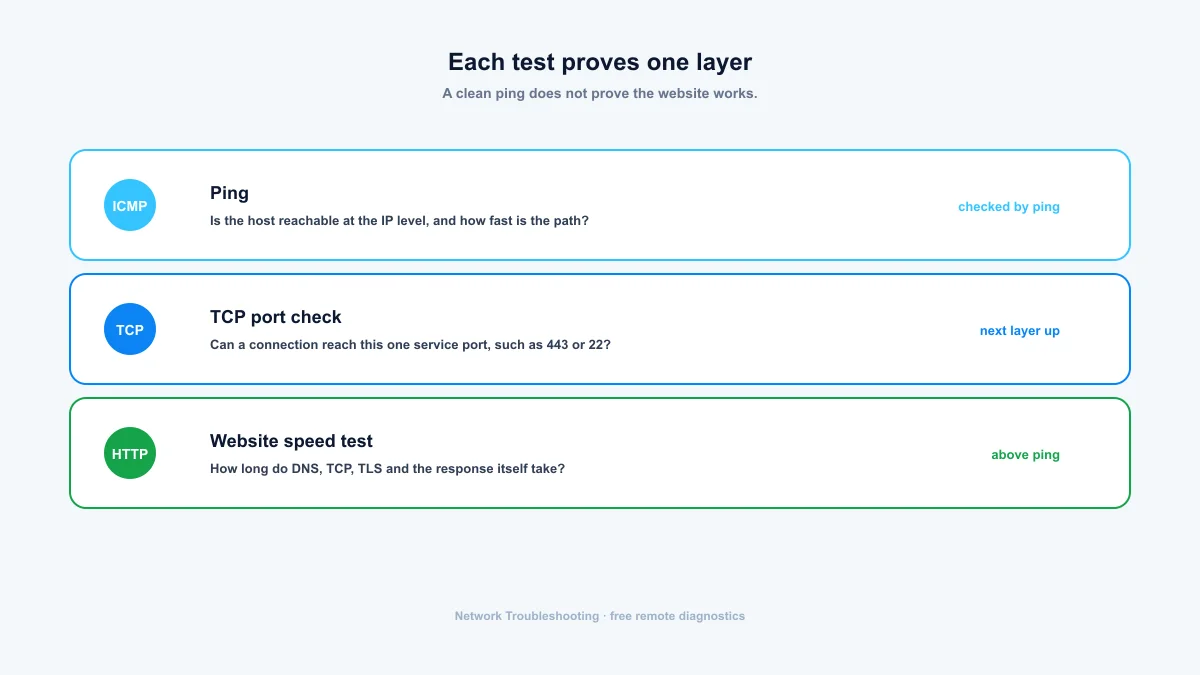
| Question | Test to run | Tool on this site |
|---|---|---|
| Is the host reachable at the IP level? | Ping (ICMP echo) | Online Ping |
| Can a TCP connection reach port 443? | TCP port check | Port Check |
| How long do DNS, TCP, TLS and the response take? | HTTP timing test | Website Speed Test |
| Which hops sit between me and the host? | Traceroute | Online Traceroute |
Summary: ping first, then prove the next layer
A ping test answers one question extremely well: does an IP-level path to this host work, and how fast is it right now? Start every network complaint there. If ping is clean but the service still fails, the fault is in a higher layer, so move to a TCP port check or a website speed test. If the path itself looks slow, traceroute shows where the delay begins.
- Latency under 20 ms is excellent; over 150 ms usually means distance or congestion.
- Zero packet loss is normal; repeated loss deserves a second measurement from another location.
- A failed ping is not a dead website — ICMP is often blocked on purpose.
- Test from your machine first, then from a remote probe to separate "my network" from "the internet".
Frequently asked questions
What is a good ping time?
Under 20 ms is excellent on broadband, 20–80 ms is normal, and over 150 ms usually means long distance or a congested path. Gamers tend to draw the line around 100 ms.
What does 100% packet loss in ping mean?
No echo reply came back: the host is unreachable, ICMP is blocked, or the route failed. It does not prove the site is down. Plenty of hosts block ICMP while serving traffic perfectly well.
Why does ping work but the website will not load?
Ping only checks ICMP. The web server, DNS, TLS or the HTTP service itself can still be broken. Run a TCP port check on port 443 and a website speed test next.
Can I ping a website from another country?
Yes. An online ping test runs the measurement from a probe in the region you select. The one on this site shows the actual probe city and network in every result, so you can compare regions honestly.
Is an online ping test accurate?
It uses the same ICMP mechanism as local ping, from a data-center probe in the region you chose. Treat it as a snapshot of that location and network at that moment, which is what you want when checking regional reachability.
Free, no account required. Results show the exact probe location for every measurement.